> WINDOWS VIDEO DOWNLOADER
VidPull
LiveSave videos and audio to your PC from a link.
Free for Windows 10 & 11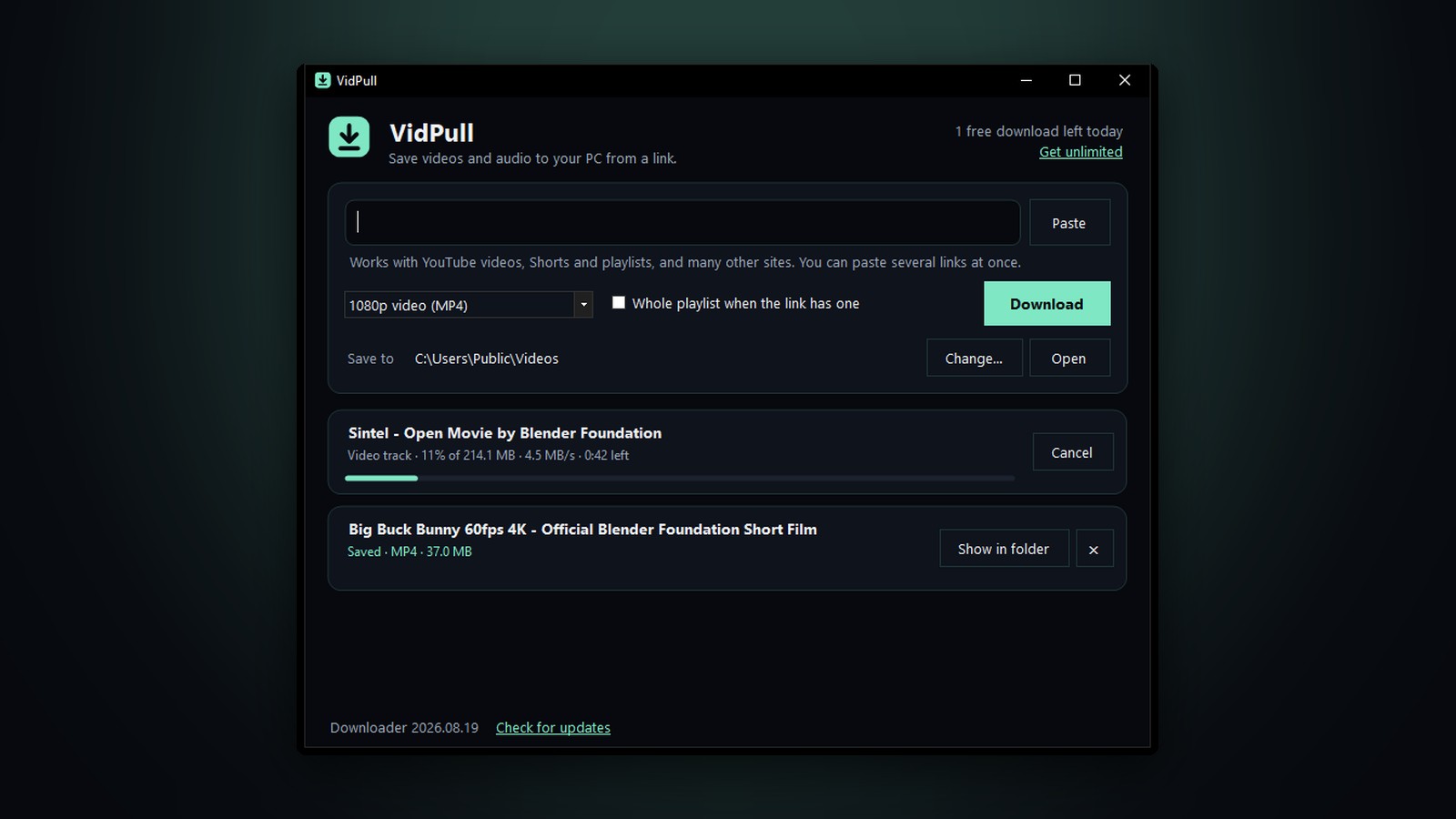
> ABOUT
Paste a link, pick a quality, and VidPull saves the video or its audio straight to your PC. It handles YouTube videos, Shorts and whole playlists, imports your Spotify and Apple Music playlists as tagged MP3s, and works with many other video sites, turning out files that play anywhere: MP4 for video, MP3 or M4A for audio. It's free for 4 videos and 1 playlist a day, and a one-time $5 license makes it unlimited.
> FEATURES
- Paste and go: Paste one link or several at once. VidPull fills in a copied YouTube, Spotify or Apple Music link for you when you open it.
- Know the size first: Before you download, VidPull shows the title, length and how big the file will be, and the size updates as you change the format.
- The quality you want: Best available, 1080p, 720p or 480p video as MP4, or audio only as MP3 or M4A, with the title and cover art filled in.
- Import your playlists: Paste a Spotify or Apple Music playlist or album link and VidPull finds each song on YouTube, checking its title and length so it picks the real song rather than a cover, a live take or an hour-long loop, and saves it with its title, artist, album, track number and square cover art, plus a playlist file in the right order. Importing the same link again picks up where it stopped.
- Tidy your music: Music tools fixes messy song names and tags, so “01 - Song (Official Video) [320kbps]” becomes “Song” with the artist filled in. Every change is shown before it’s made, and one click undoes the last tidy.
- No more duplicates: Music tools finds exact copies and the same song saved twice, keeps the best copy, and moves the rest to the Recycle Bin.
- Plays everywhere: Where a video comes in more than one format, VidPull picks the one Windows plays without extra software.
- Whole playlists: Save every video in a YouTube playlist, numbered in order, in a folder of its own.
- Clear progress: Each download shows its size, speed and time left, and can be cancelled or retried with one click.
- Stays working: VidPull keeps its download engine (yt-dlp) up to date on its own, so it keeps up when sites change.
- No account needed: Download it and run it. It offers to add itself to your Start menu, so you can pin it, and sets up what it needs in about half a minute.
> PRICING
Free
$0
- 4 video downloads a day, in every quality and format
- 1 playlist a day, saved as MP3 (up to 200 songs)
- Spotify, Apple Music and YouTube playlists
- Music tools: tidy names and remove duplicates
Unlimited
$5one time
- Unlimited videos and playlists, every day
- Playlists in any format, with no song limit
- Use it on up to 3 of your PCs
- No subscription, and every future update included
Payment is handled securely by Stripe. Your license key appears on the next page; paste it into VidPull under Get unlimited. Changed your mind? Reply to your receipt within 3 days for a full refund.
> GOOD TO KNOW
- Requirements: Windows 10 or 11, 64-bit. On first launch VidPull downloads its helpers (yt-dlp, ffmpeg and Deno, about 120 MB) into its own folder.
- Playlist imports: VidPull reads only a playlist's public song list from Spotify or Apple Music, never their audio, and gets each song from YouTube. Spotify shares the first 100 songs of a playlist.
- Privacy: VidPull doesn't track what you download. Activating a license sends only the key and an anonymous ID for your PC.
- Download responsibly: Please save only videos you own, or that you have the creator's permission to keep.